Wix

Wix

Wix

Making the Blog Post Page More Flexible
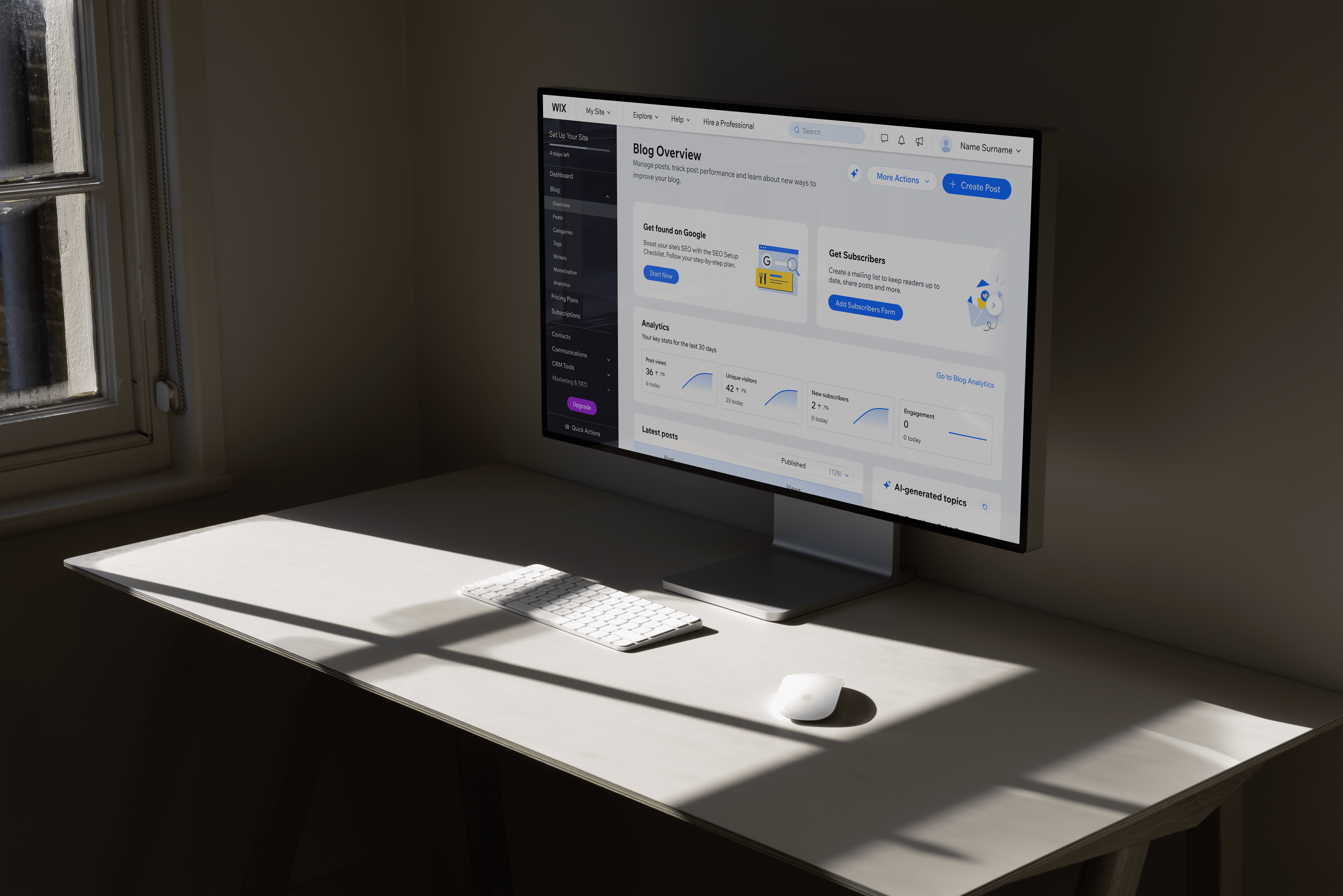
Added presets and deeper customization while keeping the editing experience simple.

Added presets and deeper customization while keeping the editing experience simple.

Company

Company

Company

Company

WIX

Role

Role

Role

Role

Product Designer

Scope

Scope

Scope

Scope

Post page layout redesign

Presets and ready-made layouts

Element-level customization

Integration with Wix Blocks

Testing and gradual rollout

Context

Context

Context

Context

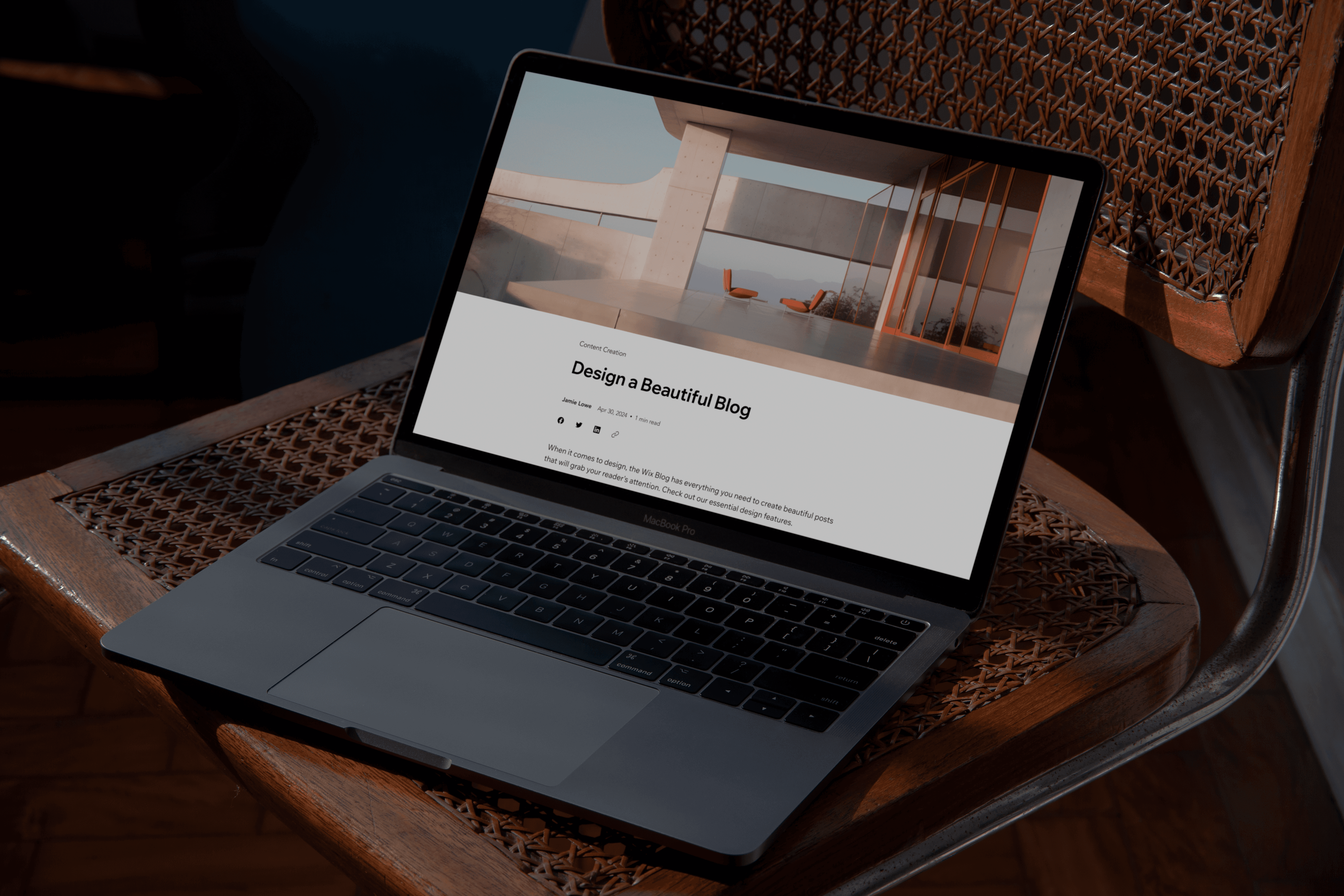
The Wix Blog post page worked well for simple articles, but it didn’t offer much layout flexibility.

As more advanced users and agencies started building complex blogs, we needed to give them more control without overwhelming everyday creators.

Updated post page

Problem Area

Problem Area

Problem Area

Problem Area

Rigid Structure and Technical Limits

The post page was too rigid. It worked fine for simple articles, but didn’t offer much layout flexibility. Users who wanted more control had to rely on workarounds.


There were also technical limitations. In Wix apps like Blog, users couldn’t edit individual components directly in the editor. They could only adjust settings for the entire widget as a whole. This made deeper customization difficult.


We needed to add flexibility without making the editor more complex.

Post page before

DESIGN GOALS

DESIGN GOALS

DESIGN GOALS

DESIGN GOALS

What I aimed to achieve

Support quick setup

Most users just want their blog to look good without spending time adjusting layouts.

Support quick setup

Most users just want their blog to look good without spending time adjusting layouts.

Support quick setup

Most users just want their blog to look good without spending time adjusting layouts.

Support quick setup

Most users just want their blog to look good without spending time adjusting layouts.

Enable deeper control

Agencies and advanced creators need more freedom to design posts beyond a fixed structure.

Enable deeper control

Agencies and advanced creators need more freedom to design posts beyond a fixed structure.

Enable deeper control

Agencies and advanced creators need more freedom to design posts beyond a fixed structure.

Enable deeper control

Agencies and advanced creators need more freedom to design posts beyond a fixed structure.

Break technical limits

Move from a single fixed widget to editable blocks so each part of the post can be customized independently.

Break technical limits

Move from a single fixed widget to editable blocks so each part of the post can be customized independently.

Break technical limits

Move from a single fixed widget to editable blocks so each part of the post can be customized independently.

Break technical limits

Move from a single fixed widget to editable blocks so each part of the post can be customized independently.

Design Desicion 01

Design Desicion 01

Design Desicion 01

Design Desicion 01

Rebuilding the post page as independent blocks

Rebuilding the post page as independent blocks. The existing post page was built as one fixed widget. To unlock real flexibility, we rebuilt it using Wix Blocks.

Wix Blocks was a new internal technology that allowed apps to be built as independent, editable components inside the Wix Editor. Our team was one of the first in Wix to implement it in a production app.

As the product designer, I had to deeply understand how Blocks worked. With support from the Wix Blocks team, I structured the post page as separate components and built the initial front-end layer myself.

Developers later started to connect those components with settings logic and ensure everything functioned correctly inside the editor.
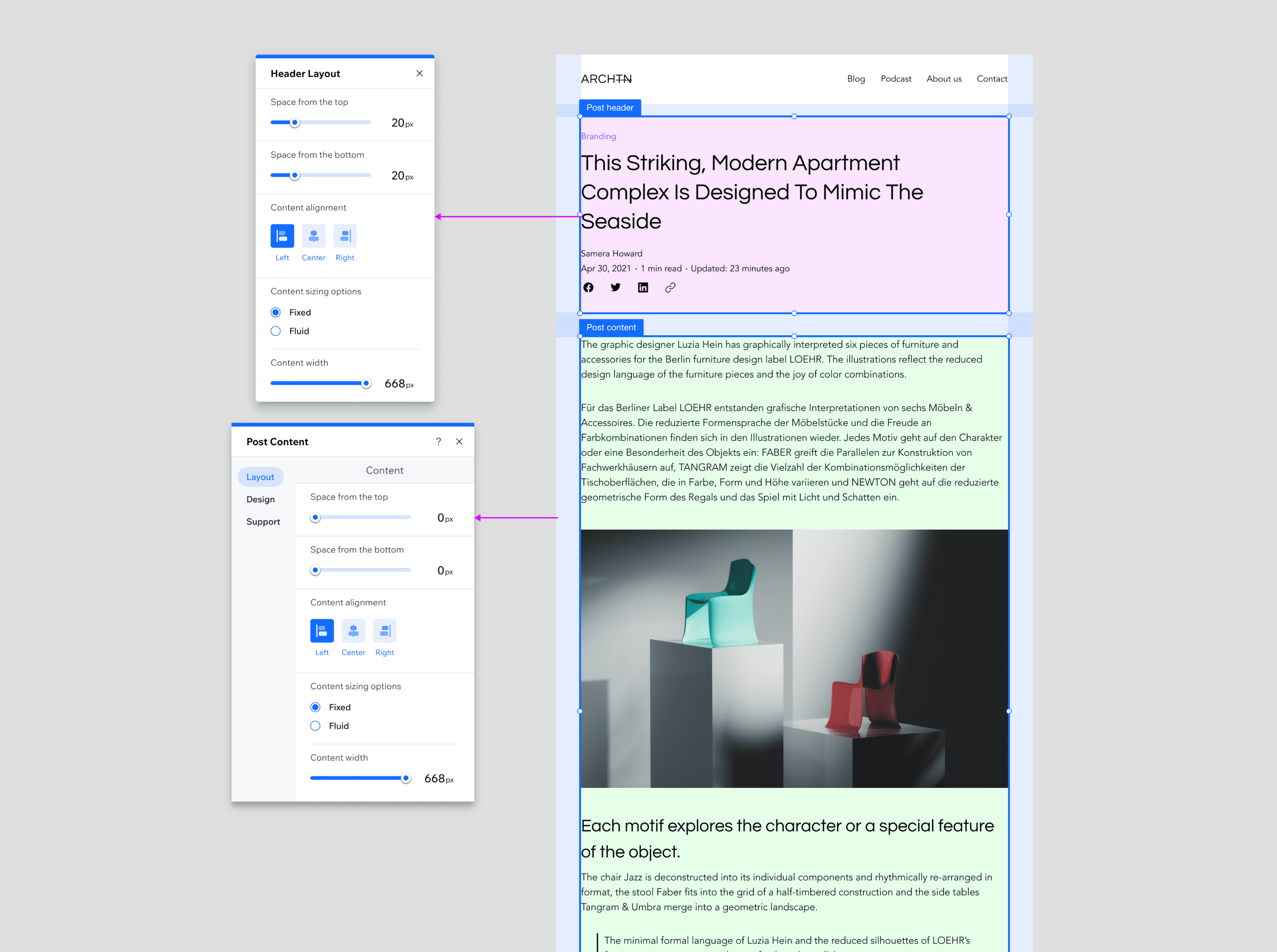
1. One widget → Separate blocks

The post page was rebuilt as independent editable widgets.

1. One widget → Separate blocks

The post page was rebuilt as independent editable widgets.

1. One widget → Separate blocks

The post page was rebuilt as independent editable widgets.

1. One widget → Separate blocks

The post page was rebuilt as independent editable widgets.

2. Global settings → Component control

Each element could now be customized separately.

2. Global settings → Component control

Each element could now be customized separately.

2. Global settings → Component control

Each element could now be customized separately.

2. Global settings → Component control

Each element could now be customized separately.

3. Rigid structure → Real flexibility

Deeper layout control became technically possible.

3. Rigid structure → Real flexibility

Deeper layout control became technically possible.

3. Rigid structure → Real flexibility

Deeper layout control became technically possible.

3. Rigid structure → Real flexibility

Deeper layout control became technically possible.

Design Desicion 02

Design Desicion 02

Design Desicion 02

Design Desicion 02

Introducing presets for fast setup

While rebuilding the post page structure, it was important not to force users into manual customization.
Many creators just want their blog to look good quickly.


So instead of starting from a blank layout, we introduced ready-made post page presets.
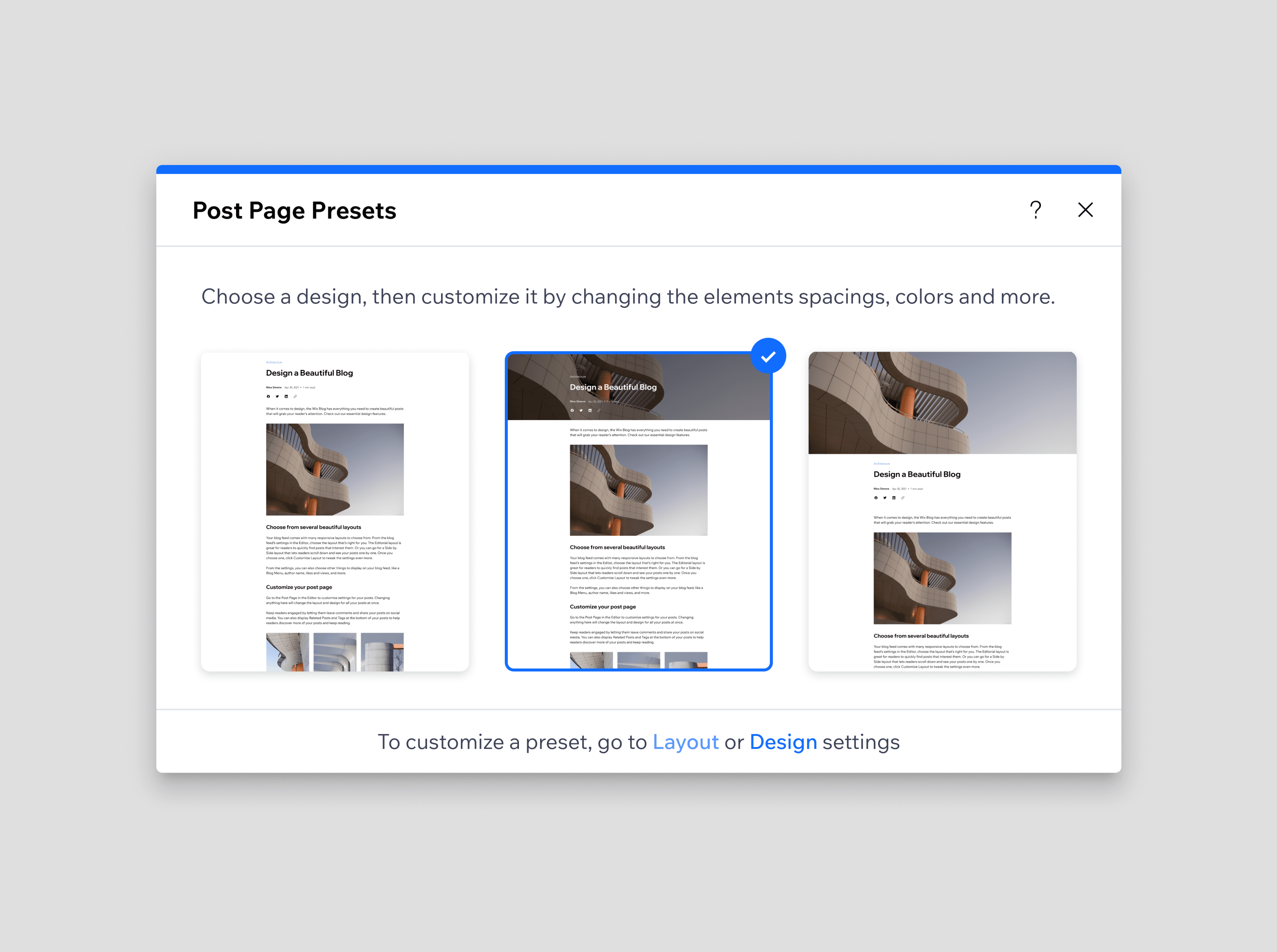
Why presets mattered

1. Faster blog setup

No need to configure every detail manually.

1. Faster blog setup

No need to configure every detail manually.

1. Faster blog setup

No need to configure every detail manually.

1. Faster blog setup

No need to configure every detail manually.

2. Less cognitive load

Users didn’t have to decide everything at once.

2. Less cognitive load

Users didn’t have to decide everything at once.

2. Less cognitive load

Users didn’t have to decide everything at once.

2. Less cognitive load

Users didn’t have to decide everything at once.

3. Balanced complexity

Flexibility remained optional.

3. Balanced complexity

Flexibility remained optional.

3. Balanced complexity

Flexibility remained optional.

3. Balanced complexity

Flexibility remained optional.

Design Desicion 03

Design Desicion 03

Design Desicion 03

Design Desicion 03

Refining the system through iteration

After rebuilding the structure and introducing presets, the work wasn’t finished.

Each component required clear and consistent design settings. I created detailed specifications for the header, metadata, categories, content, footer, and visual styles to ensure flexibility remained structured and usable.

What this meant

1. Consistent logic across components

All settings followed the same structure and behavior.

1. Consistent logic across components

All settings followed the same structure and behavior.

1. Consistent logic across components

All settings followed the same structure and behavior.

1. Consistent logic across components

All settings followed the same structure and behavior.

2. Cleaner defaults

Presets were refined based on competitive research and internal reviews.

2. Cleaner defaults

Presets were refined based on competitive research and internal reviews.

2. Cleaner defaults

Presets were refined based on competitive research and internal reviews.

2. Cleaner defaults

Presets were refined based on competitive research and internal reviews.

3. Less friction in editing

Users could understand how the system worked without reading documentation.

3. Less friction in editing

Users could understand how the system worked without reading documentation.

3. Less friction in editing

Users could understand how the system worked without reading documentation.

3. Less friction in editing

Users could understand how the system worked without reading documentation.

Validation

Validation

Validation

Validation

Testing with real creators before release

Before rolling this out widely, we tested the new post page with template designers and blog partners. We wanted to understand how people actually work when designing a post page.
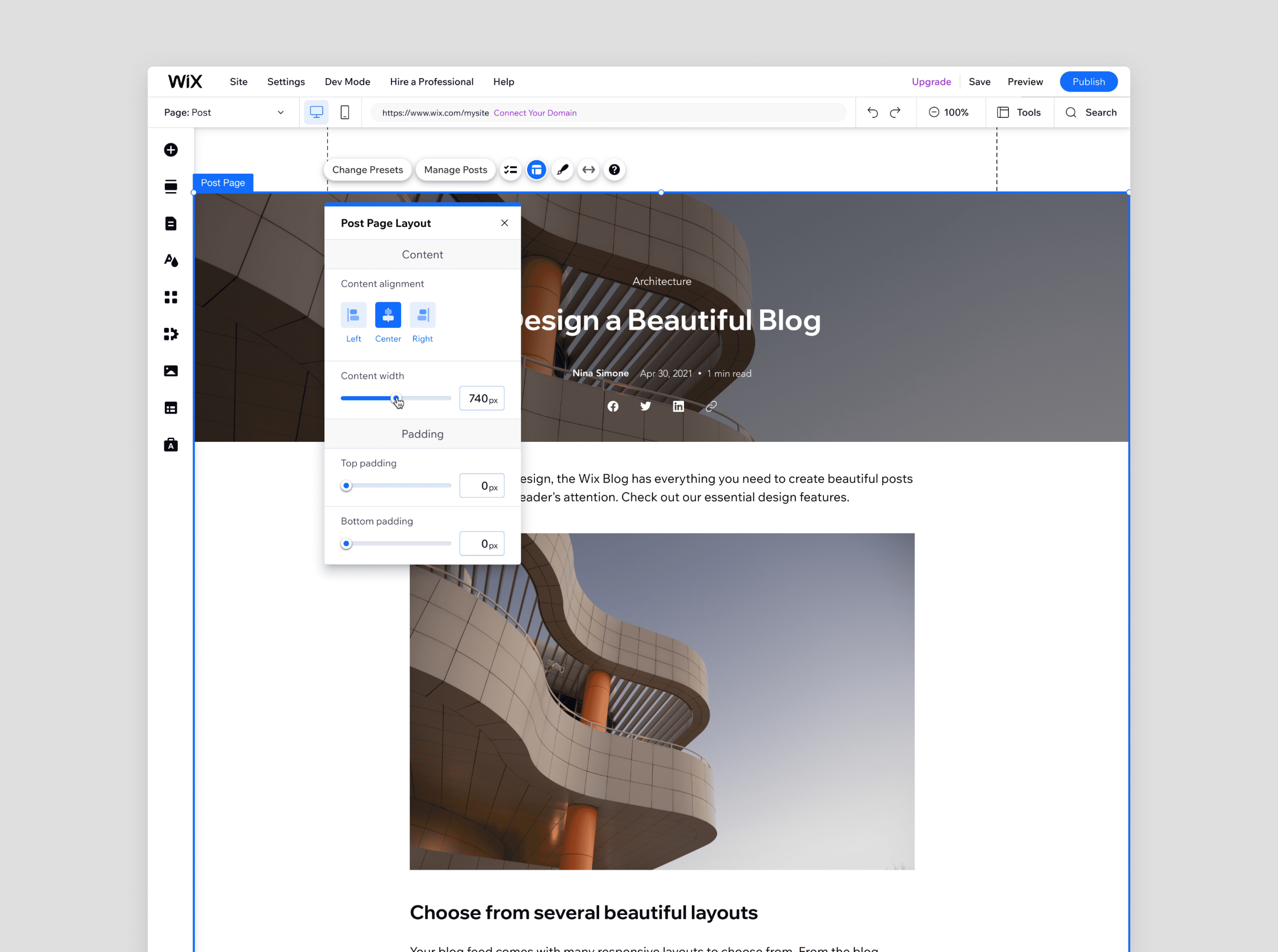
Key findings

1. Users expected direct interaction

They naturally tried clicking elements to edit them.

1. Users expected direct interaction

They naturally tried clicking elements to edit them.

1. Users expected direct interaction

They naturally tried clicking elements to edit them.

1. Users expected direct interaction

They naturally tried clicking elements to edit them.

2. Presets were appreciated but not always obvious

We improved discoverability and entry points.

2. Presets were appreciated but not always obvious

We improved discoverability and entry points.

2. Presets were appreciated but not always obvious

We improved discoverability and entry points.

2. Presets were appreciated but not always obvious

We improved discoverability and entry points.

3. Drag-and-drop expectations were high

Some users expected full layout freedom, which informed future roadmap decisions.

3. Drag-and-drop expectations were high

Some users expected full layout freedom, which informed future roadmap decisions.

3. Drag-and-drop expectations were high

Some users expected full layout freedom, which informed future roadmap decisions.

3. Drag-and-drop expectations were high

Some users expected full layout freedom, which informed future roadmap decisions.

Release

Release

Release

Release

Gradual rollout

The new post page was first released to 10% of new English users. This allowed us to monitor performance, validate stability, and observe real usage before scaling further.

The new post page was first released to 10% of new English users.


This allowed us to monitor performance, validate stability, and observe real usage before scaling further.

What changed after first rollout

1. +2.5% increase in blog-ready users

Usage of AI-generated posts increased after launch, especially among newer creators, showing it lowered the barrier to starting.

1. +2.5% increase in blog-ready users

Usage of AI-generated posts increased after launch, especially among newer creators, showing it lowered the barrier to starting.

1. +2.5% increase in blog-ready users

Usage of AI-generated posts increased after launch, especially among newer creators, showing it lowered the barrier to starting.

1. +2.5% increase in blog-ready users

Usage of AI-generated posts increased after launch, especially among newer creators, showing it lowered the barrier to starting.

2. Stronger design flexibility

Advanced users gained meaningful layout control. After early demos, some partners requested access ahead of general release.

2. Stronger design flexibility

Advanced users gained meaningful layout control. After early demos, some partners requested access ahead of general release.

2. Stronger design flexibility

Advanced users gained meaningful layout control. After early demos, some partners requested access ahead of general release.

2. Stronger design flexibility

Advanced users gained meaningful layout control. After early demos, some partners requested access ahead of general release.

3. Performance tradeoff identified

Early rollout revealed slower performance, leading to optimization work before wider release.

3. Performance tradeoff identified

Early rollout revealed slower performance, leading to optimization work before wider release.

3. Performance tradeoff identified

Early rollout revealed slower performance, leading to optimization work before wider release.

3. Performance tradeoff identified

Early rollout revealed slower performance, leading to optimization work before wider release.

Retrospective

Retrospective

Retrospective

Retrospective

What happened after launch

After launch, performance issues tied to the new Blocks structure forced us to temporarily revert to the previous version.


While this wasn’t the outcome we planned, the project exposed key technical limitations of the new system and helped other teams understand what needed to improve.


At the same time, research confirmed that users want deeper layout flexibility, giving the team confidence to continue investing in this direction.

Reveal

Sticky

Slide over

Reveal

Sticky

Slide over

Reveal

Sticky

Slide over

Reveal

Sticky

Slide over

Post page - before vs after

More Work

More Work

More Work

More Work

Create a free website with Framer, the website builder loved by startups, designers and agencies.