Wix
Designing a scalable blog dashboard
Company
WIX
Role
Product Designer
Scope
Blog overview
Post list
Categories list
Tags list
AI tools
Context
Wix Blog is used by a wide range of creators, from people writing their first blog post to professional publishers. Over time, the dashboard became more powerful, but also harder to navigate within an already complex product.
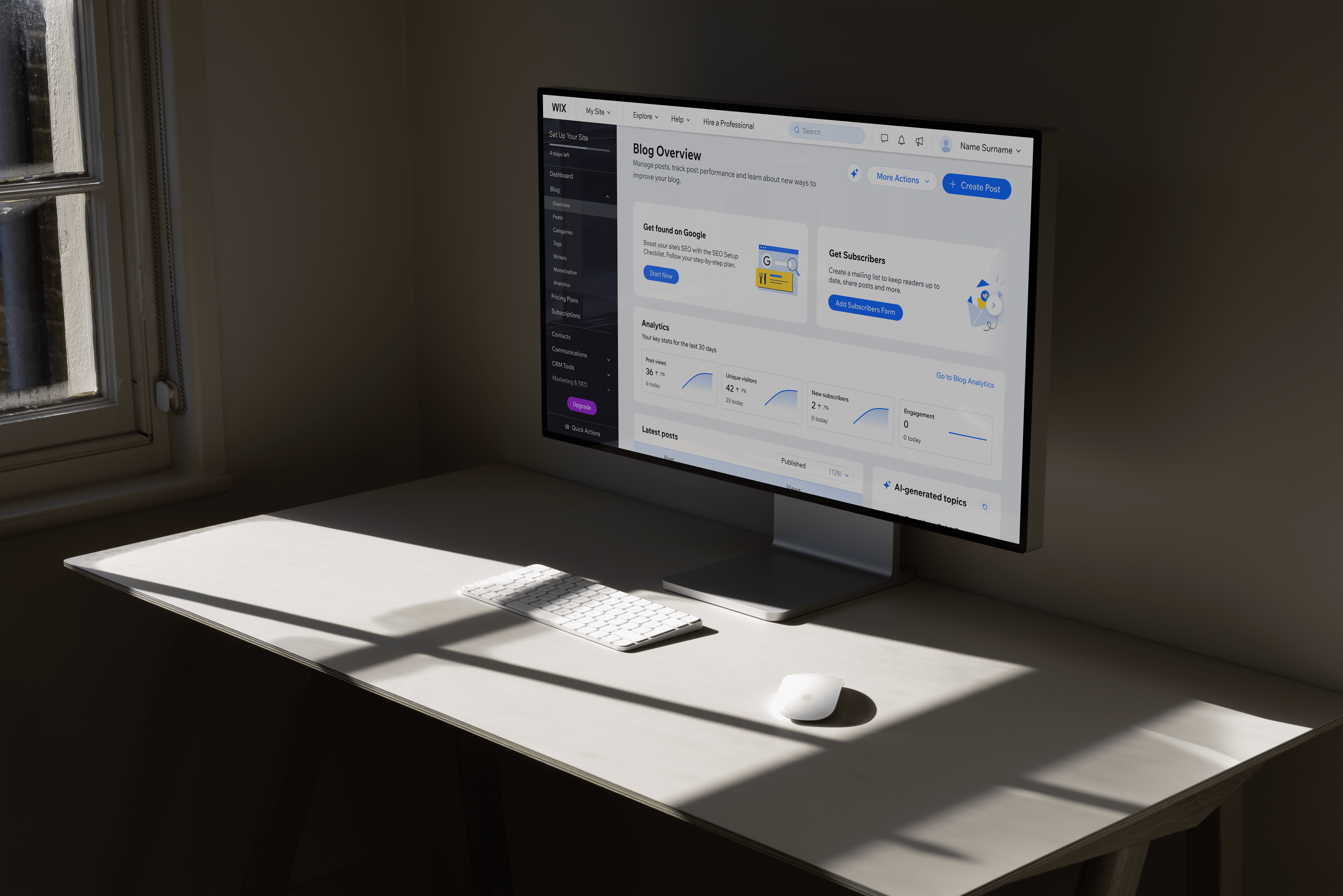
Updated Blog Overview page
Problem Area
Dashboard before redesign
The dashboard had to work for very different users at the same time.
New bloggers needed guidance and clarity, while experienced creators cared more about speed, control, and data.
At the same time, we were updating older parts of the dashboard to a new design system, working within technical constraints, and introducing early AI tools that didn’t yet have clear design patterns across the company.

Dashboard before
Opportunity 1
Help users understand what’s happening with their blog and what to do next, with clear structure, learning content, and AI-generated post ideas based on their blog type.
Opportunity 2
Make it easier for experienced creators to manage, compare, and act on their content directly from the Overview page, without unnecessary steps.
DESIGN GOALS
What I aimed to achieve
Support without noise
Use guidance and AI where helpful, without disrupting existing workflows.
Design Desicion 01
Creating a clear starting point
Creators came to the dashboard with very different needs, and the existing overview tried to cover too much at once.
Working with a data analyst, I reviewed which sections of the Blog Overview were actually used and restructured the layout to surface the most relevant actions first.

3. Faster access to posts
The post list was moved above the fold based on usage data, with AI post ideas placed alongside it to make starting new content more visible.
Design Desicion 02
Speeding up everyday content management
As blogs grow, creators spend most of their time managing existing posts. The post list was one of the most used areas, but key actions and information were spread across multiple screens, slowing down everyday workflows.
Reveal
Sticky
Slide over
Post list - before vs after
Design Desicion 03
Supporting creators without disrupting workflows
The dashboard needed to move to a new design system without changing how users already worked. We updated components step by step and kept AI optional.
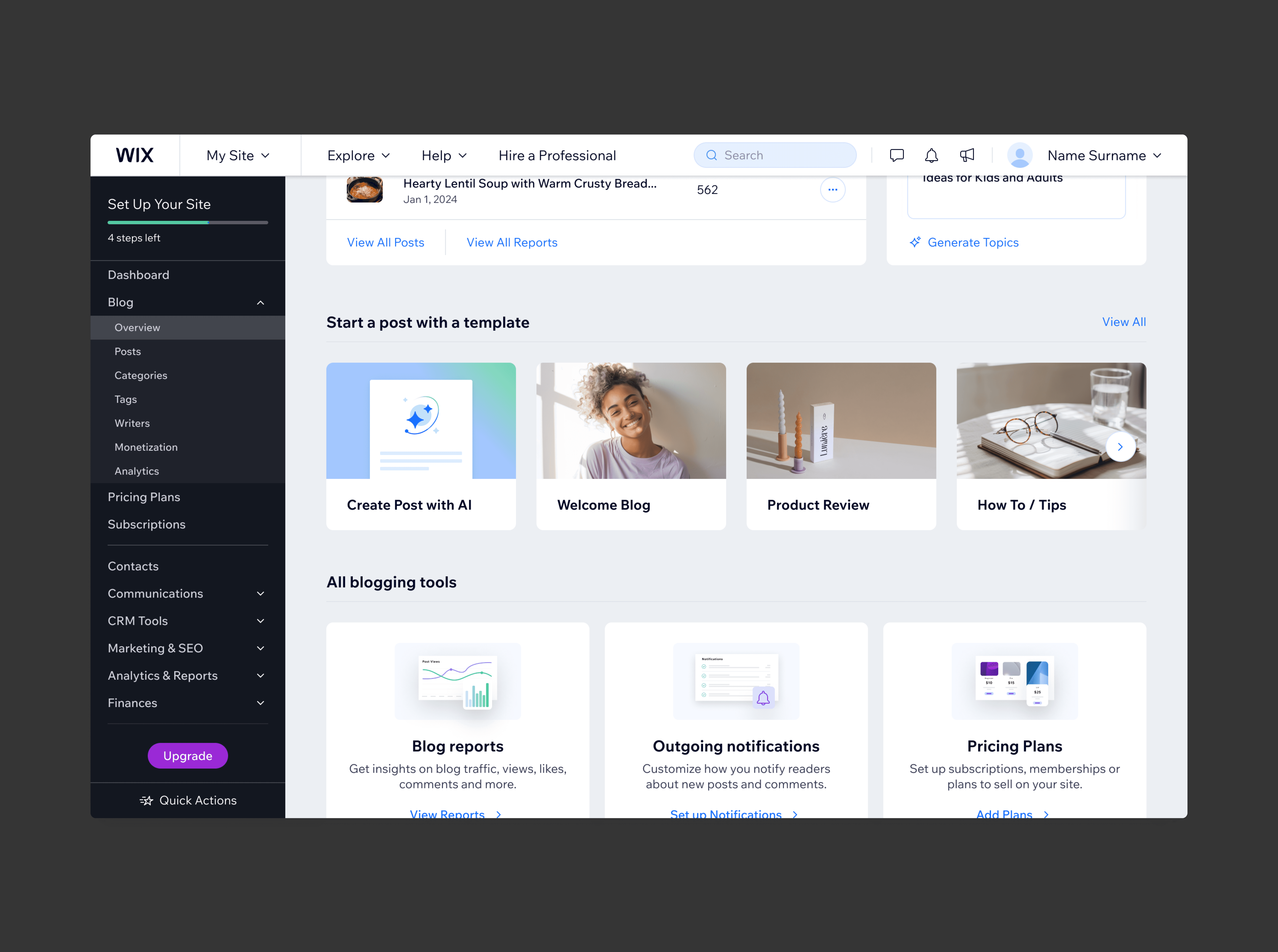
Post details and statuses were visible directly in the list, reducing the need to open individual posts.
Retrospective
Making a complex dashboard feel manageable
Overview page - before vs after
AI helped users get started
Usage of AI-generated posts increased after launch, especially among newer creators, showing it lowered the barrier to starting.
Publishing habits didn’t change
The number of published posts stayed roughly the same, showing AI supported ideation rather than pushing users to publish more.